
Desktop Business Edition provides Virtual Screen tool to help create virtual desktops that limit use to only the programs you specify.
Desktop Lock Business Edition is the enhanced version of Desktop Lock.
A new lock mode "Lock keyboard and mouse only; don't freeze screen" allows you to leave programs, videos or other files playing on screen while the system is locked.
The Virtual Screen tool helps create virtual desktops to limit users to use only the specified programs.
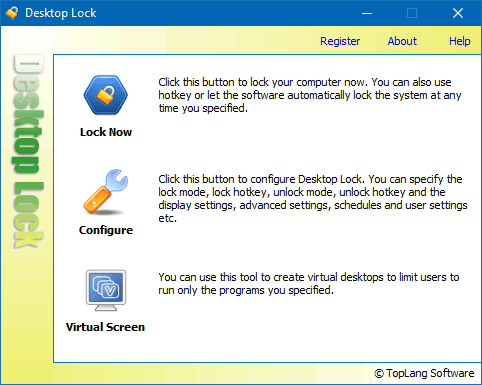
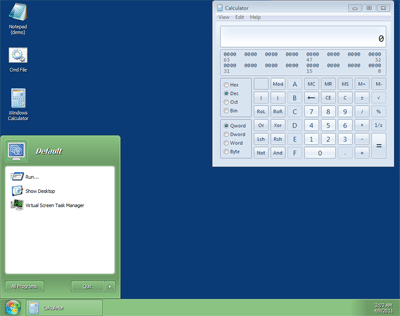
Virtual Screen is a powerful tool designed to create virtual desktops, allowing you to restrict users to specific programs. A virtual desktop is much like the real desktop: it lists the programs you specify and contains a taskbar, a start menu, etc.
Virtual Screen supports multiple profiles. Each profile defines a virtual desktop with the programs you specify; therefore, you can create as many virtual desktops as you want.
If you want to limit users to using only the programs you specify, and do not want them to, for example, play games or browse the internet, then Virtual Screen may help you.
Beyond programs, Virtual Screen can list the following items on its desktops:
Virtual Screen is an exclusive feature of Desktop Lock Business Edition. While it is included in the standard version of Desktop Lock, it is provided for demonstration purposes only. Virtual Screen accepts the registration for Desktop Lock Business Edition; consequently, purchasing a license for Desktop Lock Business Edition also provides a license for Virtual Screen.
A new lock mode "System: Lock keyboard and mouse only; don't freeze screen" is enabled in Business Edition.
Normally, Desktop Lock will freeze the screen while the system is locked. With this new lock mode, you can prevent unauthorized access while still displaying the real-time content on the screen. It's useful for users who want to lock the computer, but still need to watch the results of running programs or media playback.