
Password protects programs on your computer:
There is a lot of fine software installed on your computer, you know them well: MS-Office, WinZip, Windows Media Player, Real Player, AcdSee. Most of them have no password protection, so anyone who shares your workstation can launch one of these applications and use it to browse or modify your data that was created by it. You don't want to have to learn to use new software that has password protection feature, but you do want the password protection feature for your existing software.
Password Door can add password protection to any program on your computer. It will not modify the original programs, so it will never destroy the programs and you will never lose data.
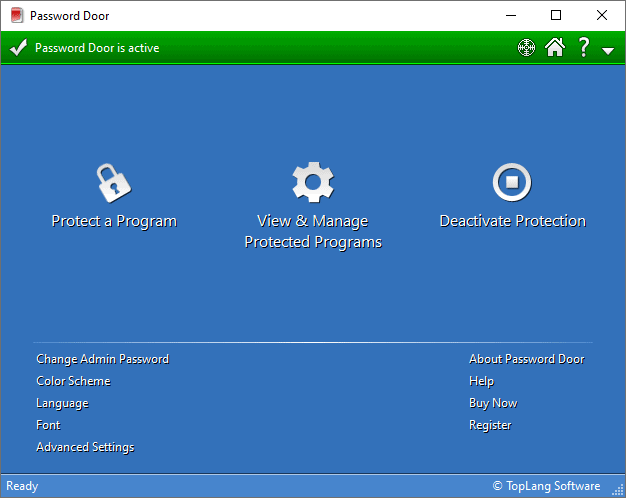
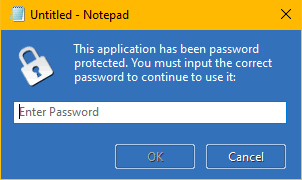
You can password protect any of the programs on your computer with Password Door.
When a user tries to use a password protected program, it asks for the password first. If user can not provide the correct password, the program terminates and user won't be able to use it.
Password Door provides strong protection and will always apply the protection to a protected program. The following actions will NOT bypass a protection:
With its unique "EXE identity" technology, Password Door keeps protecting the target programs even those programs have been moved to other locations, or renamed.
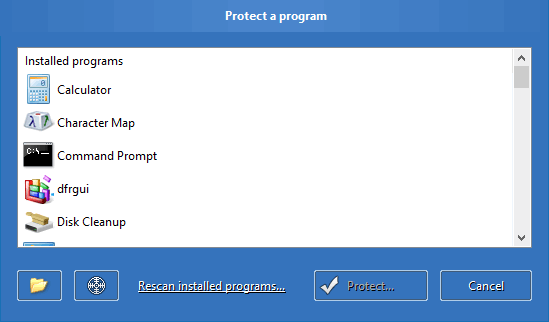
It's easy-to-use and doesn't require special computer knowledge. Password Door has configured everything automatically after you installed it. The only thing you need to do is start protecting programs.
Password Door provides various ways for you to protect a program quickly:
 to browse for and
select a program file (.exe) to protect it.
to browse for and
select a program file (.exe) to protect it. to any window of
target program to protect it.
to any window of
target program to protect it.Password Protection is only the basic feature of Password Door. With all the features it provides, you can fully control any of the programs on your computer.
Password Door supports schedule options. You can protect any program daily, weekly or monthly. Examples:
With schedule options, it is possible to protect a single program in different ways or with different passwords, by using multiple protection items.
Password Door can be configured to use internet time for schedule options, in order to prevent the protection from being bypassed by changing the system time.
Password Door supports different protection modes. In addition to "Password Protect", there are other protection modes that can be used to protect programs.
A filter can be specified for any protection item, to protect programs with their file name, class name, or window title.
A filter can protect multiple programs with one single protection item.
By using different filter logic, you can also deflate the protection range, or exclude special programs.
With different settings and schedule options, those protection items can protect a program in different ways or with different passwords.
Imagine controlling a program like this: allow the program directly every Sunday, and password protect it all other times, but you also want it to be fully blocked 9:00 PM - 8:00 AM every day.
The task can be done by using multiple protection items for that single program.
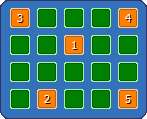
A new type of password, matrix password, has been designed for Password Door. The admin password and passwords for protected programs can all be set to matrix passwords instead of normal passwords.
A matrix password is defined by the highlighted buttons and the order in which those buttons are clicked.
Protection will be pointless if the software can be uninstalled easily, or the settings can be changed freely. Password Door protects itself with the admin password and other features.
The admin password protects main program of Password Door, and its uninstaller. Users will not be able to change its settings or uninstall it without admin password.
It also has built-in features to avoid being removed by 3rd-party uninstallers, and ensure that it will always be there to provide maximal protection until you uninstall it with admin password.
Download the fully-functional evaluation copy for free. Small size for downloading, easy to install and configure. You can uninstall it at any time you want. Easy to uninstall and won't leave any junk.
Get Password Door to password protect any programs as you want: Outlook, AcdSee, Media Player, Real Player, Live Messenger... Your registration will be sent to you in a few minutes after you place an order.