
Desktop Business Edition provides Virtual Screen tool to help create virtual desktops that limit use to only the programs you specify.
Desktop Lock Business Edition is the enhanced version of Desktop Lock.
A new lock mode "Lock keyboard and mouse only, do not freeze screen" allows you to leave programs, video or PowerPoint files etc. playing on screen while system is locked.
The Virtual Screen tool helps create virtual desktops to limit users to use only the programs you specified.
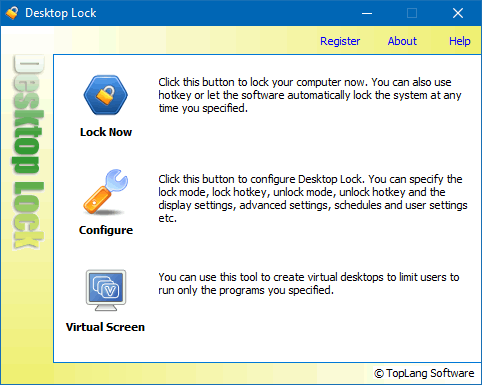
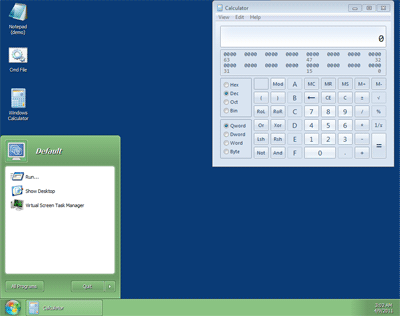
Desktop Lock Business Edition provides the Virtual Screen tool. It can be used to create virtual desktops and list specific programs on the virtual desktops. A virtual desktop is mostly like the real desktop: it lists the programs you specified, and contains taskbar, start menu etc.
Users are only allowed to use the programs listed on virtual desktops.
Virtual Screen supports multiple profiles. Each profile defines a virtual desktop with the programs you specify. So, you can create as many virtual desktops as you want.
If you want to limit users to using only the programs you specify, do not want them to play games, browse internet etc., then Virtual Screen may help you.
Not only programs, Virtual Screen can list following items on its desktop:
* There is a free Get Command Line tool can be used to capture command line and parameters of programs. With the free tool, you can easily get the path to a program along with parameters, for adding it to virtual desktops.
A new lock mode is enabled in Business Edition: Lock keyboard and mouse only, do not freeze screen.
Normally Desktop Lock will freeze the screen while system is locked. With this new lock mode, you lock the computer so that none can use your computer, and the real-time contents of screen are still displayed. It's useful to users who want to lock the computer, but still need to watch the results of running programs or playing media files.